เกมส์อาร์พีจี สมาร์ทโฟนกราฟฟิกสูง 「AVABEL ONLINE」

-
IMPORTANT
- Details: External Account Authentication
- Thank you for playing AVABEL ONLINE.
We are pleased to introduce the details of the "External Account Linkage Authentication" feature, available following the app update on November 11, 2026.
▼What is "External Account Linkage Authentication"?
This is an account authentication system that allows you to sign in to your AVABEL ONLINE game data using your "Google Account" or "Apple ID".
By linking your game data to an account you use regularly, you can easily continue playing with the same game data on a new device in case of device changes, malfunctions, or loss simply by selecting the linked account.
※ External Account Linkage Authentication is completely free to use.
※ A valid Google Account or Apple ID is required to use this feature.
※ Only one game account can be linked to a single external account (email address). Duplicate registrations to the same external account are not possible.
※ Game data can be transferred across different operating systems and platforms (iOS / Android / PC) using either a Google Account or an Apple ID.
※ This system only checks the authentication status of your linked account. Passwords for your Google Account or Apple ID are never shared with or stored by the game.
※ We recommend linking your account as soon as possible to prevent potential data loss from device loss or damage.▼How to Register / Transfer Data
*Screenshots are taken from a development environment. Actual displays may vary slightly depending on your device or OS version.
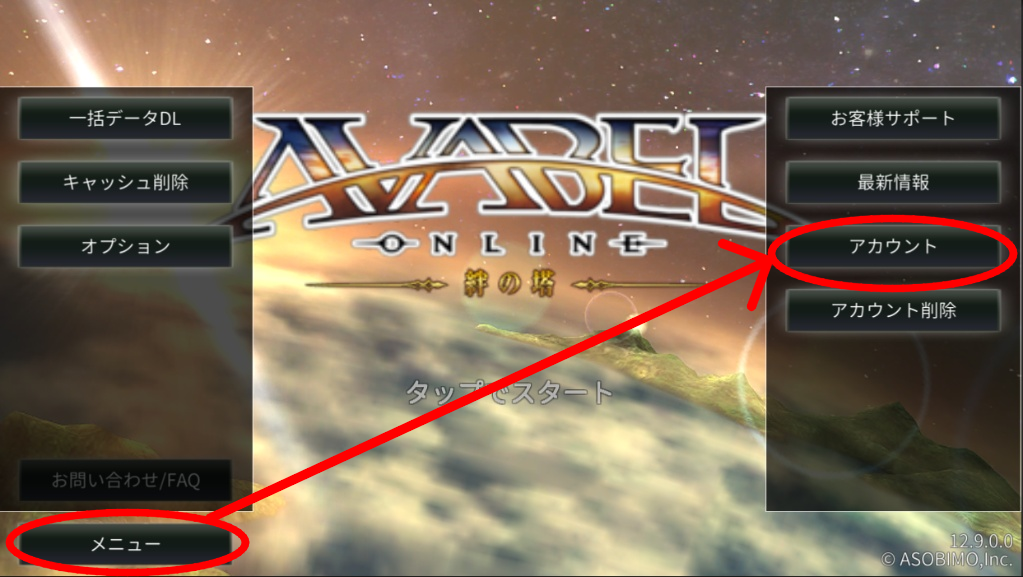
[Step 1] Tap "Menu" (メニュー) > "Account" (アカウント) at the bottom left of the title screen.
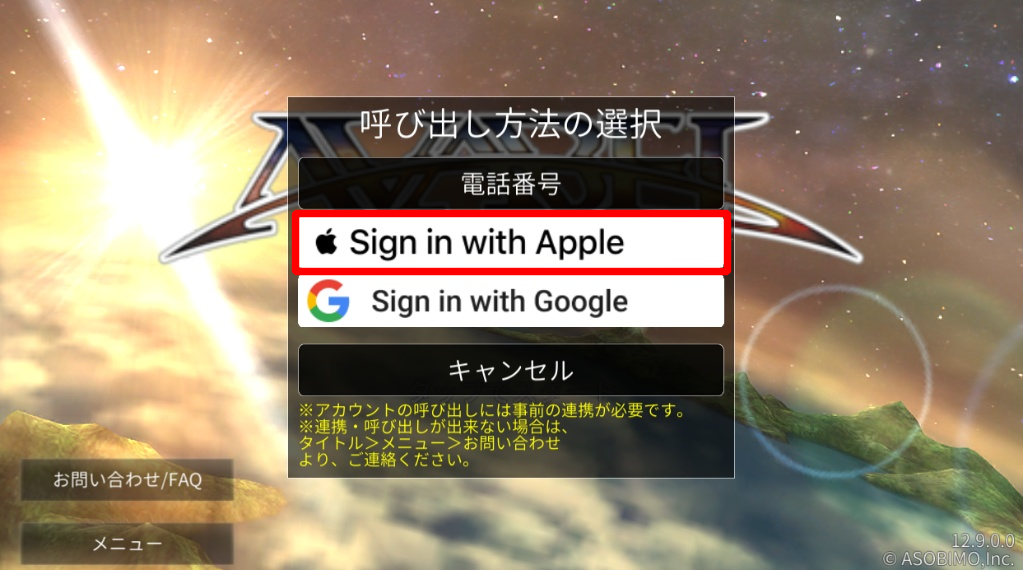
[Step 2] Select the account you wish to link ("Sign in with Apple" or "Sign in with Google").
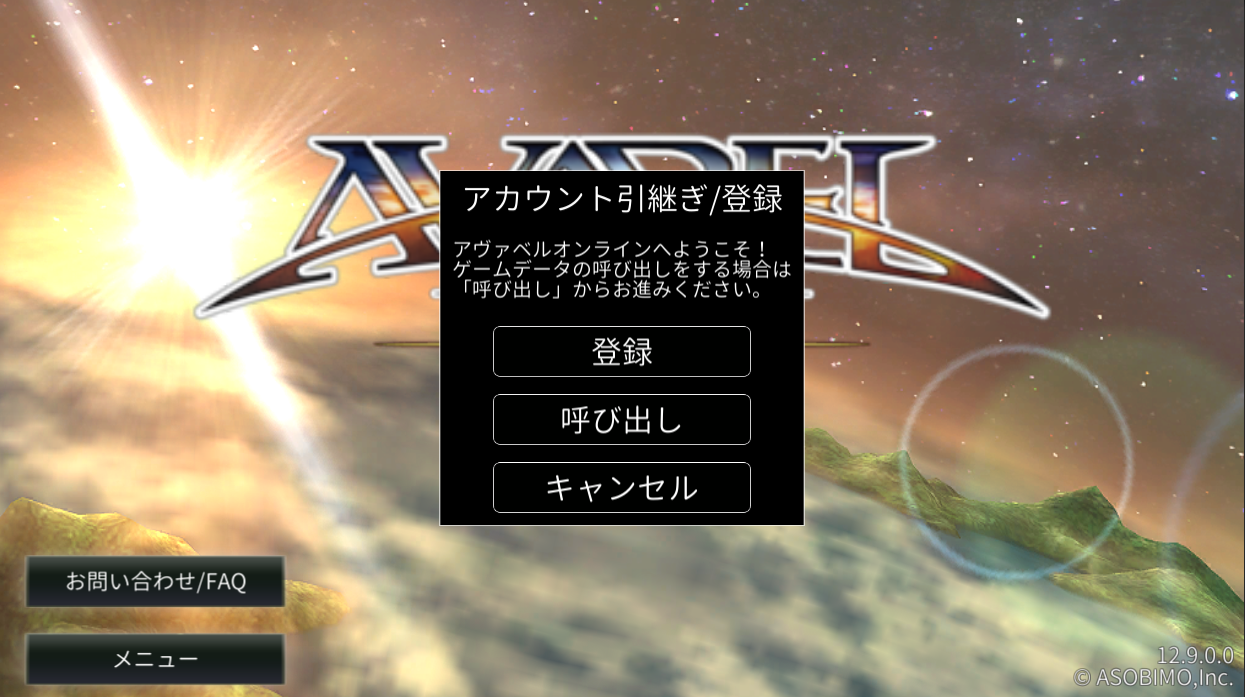
[Step 3] The "Account Transfer / Registration" screen will appear. Select either "Register" or "Transfer" depending on your objective.
・To link currently played data to an external account: Tap [Register] (登録)
・To load linked data onto a new device: Tap [Transfer / Load] (呼び出し)
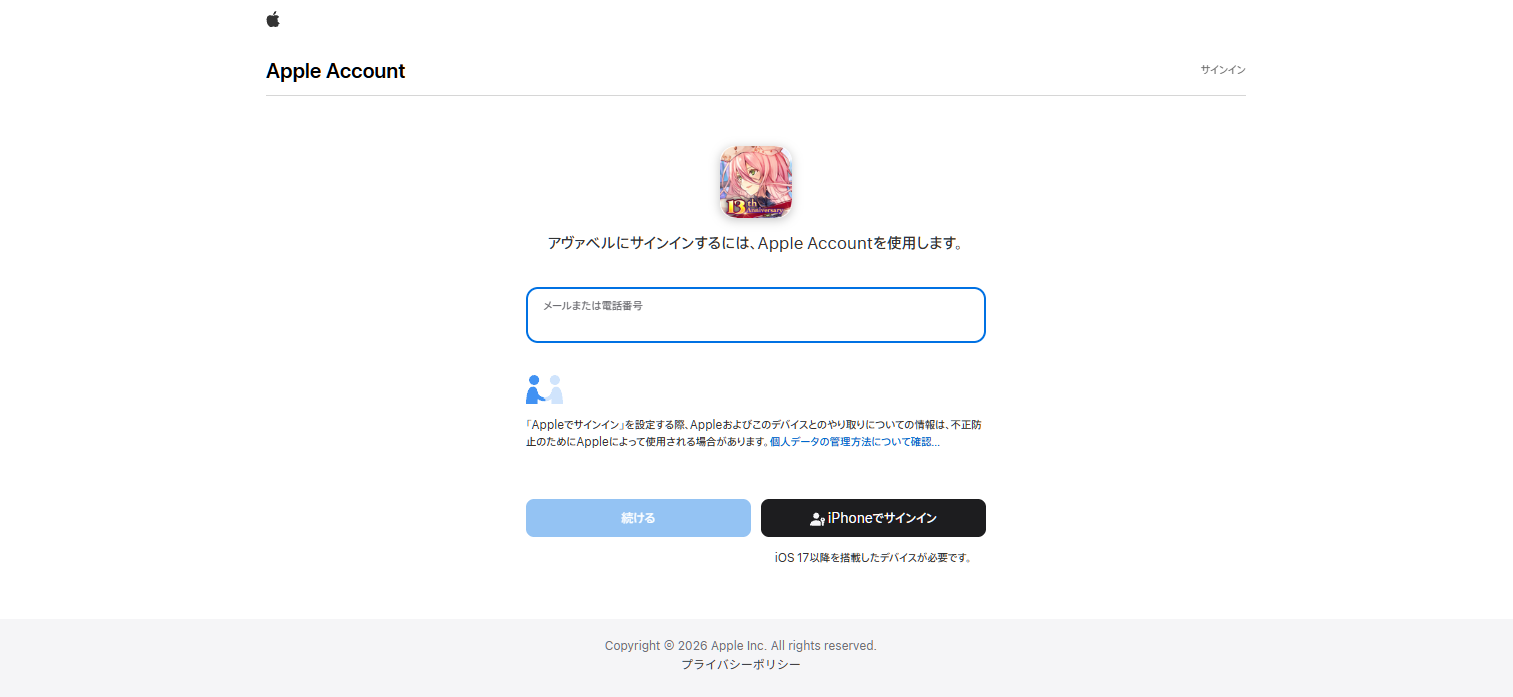
[Step 4] A browser window will open. Follow the on-screen instructions to sign in and authenticate.
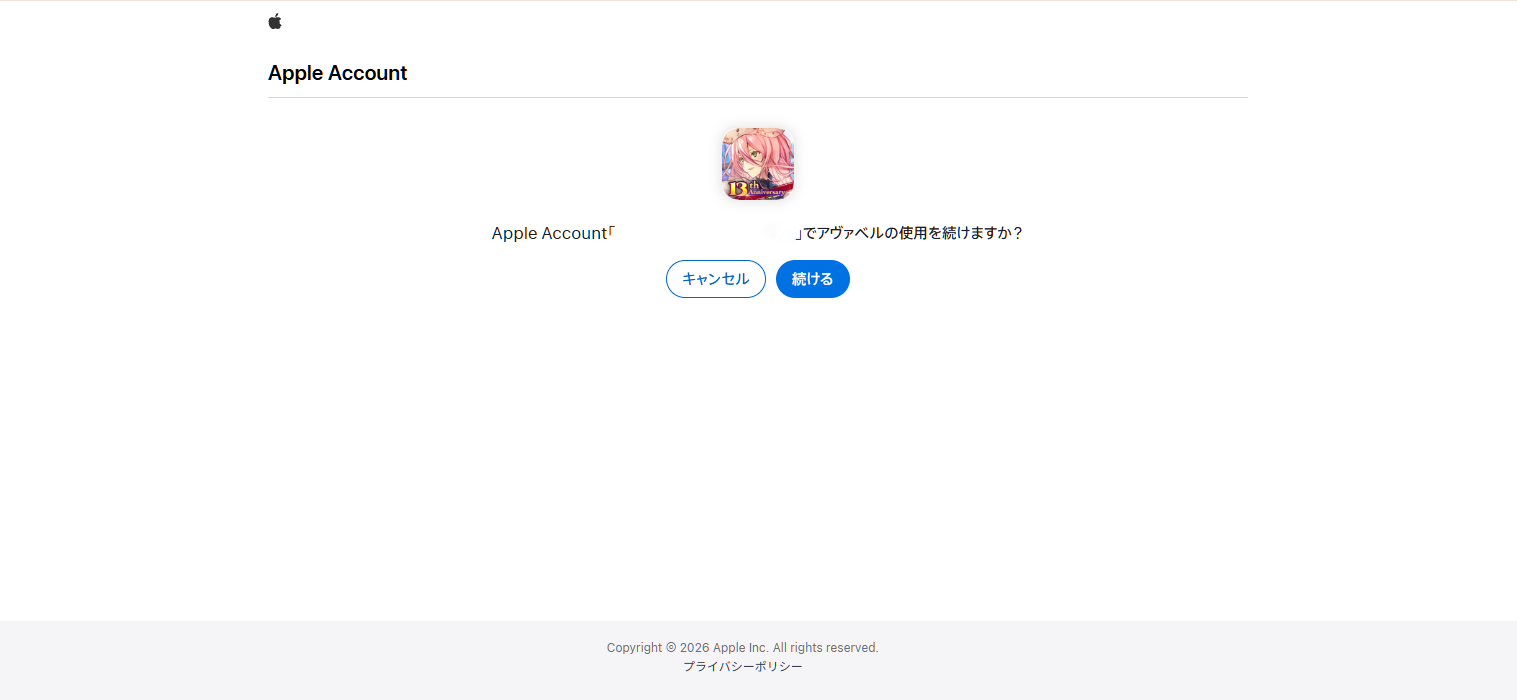
・For Apple ID: Sign in and tap "Continue"
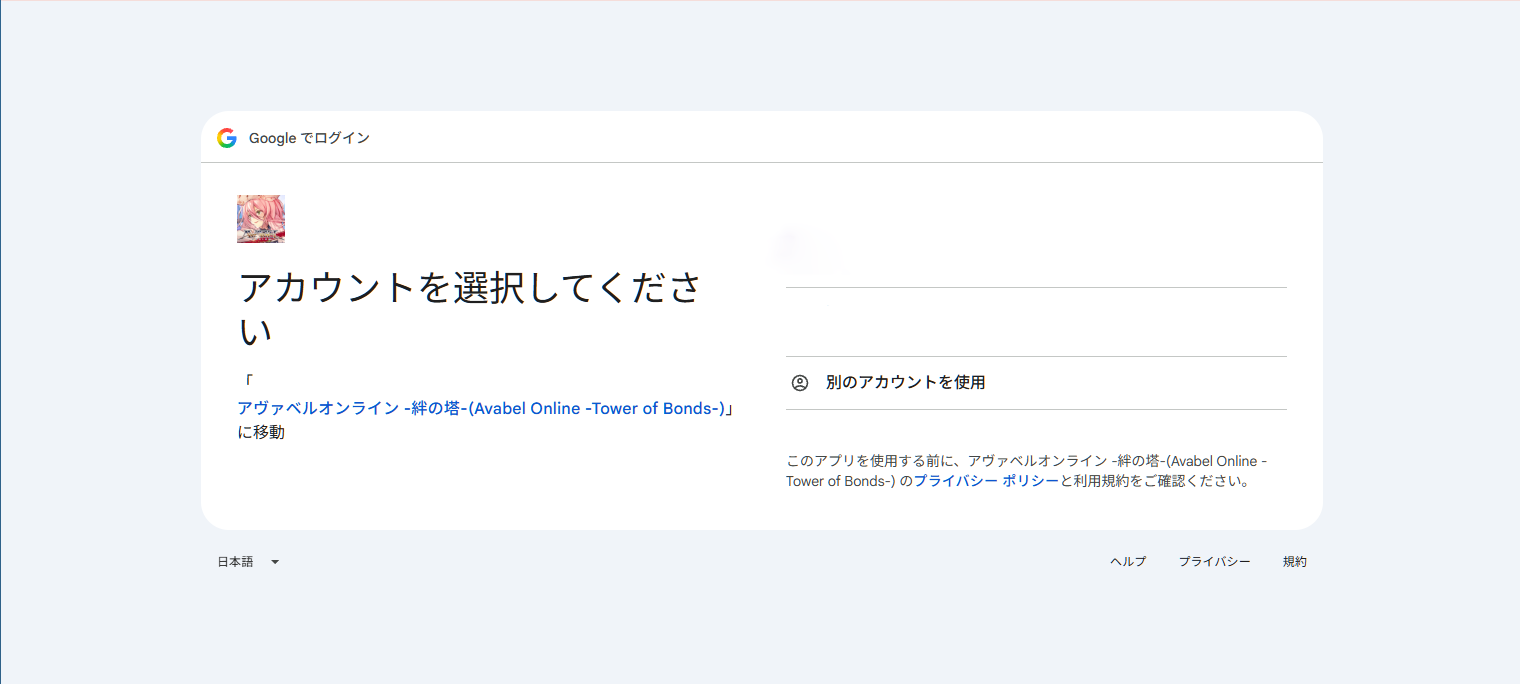
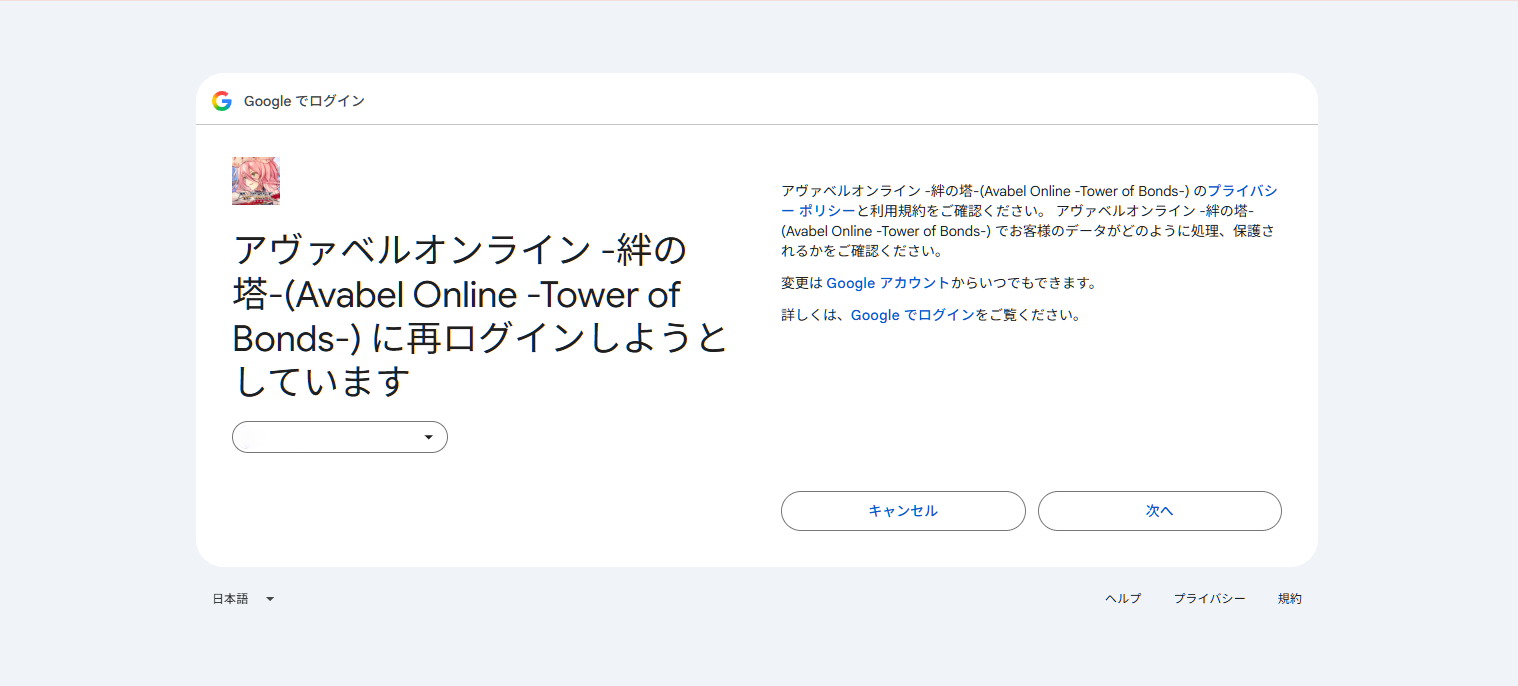
・For Google Account: Select your Google Account and tap "Next"
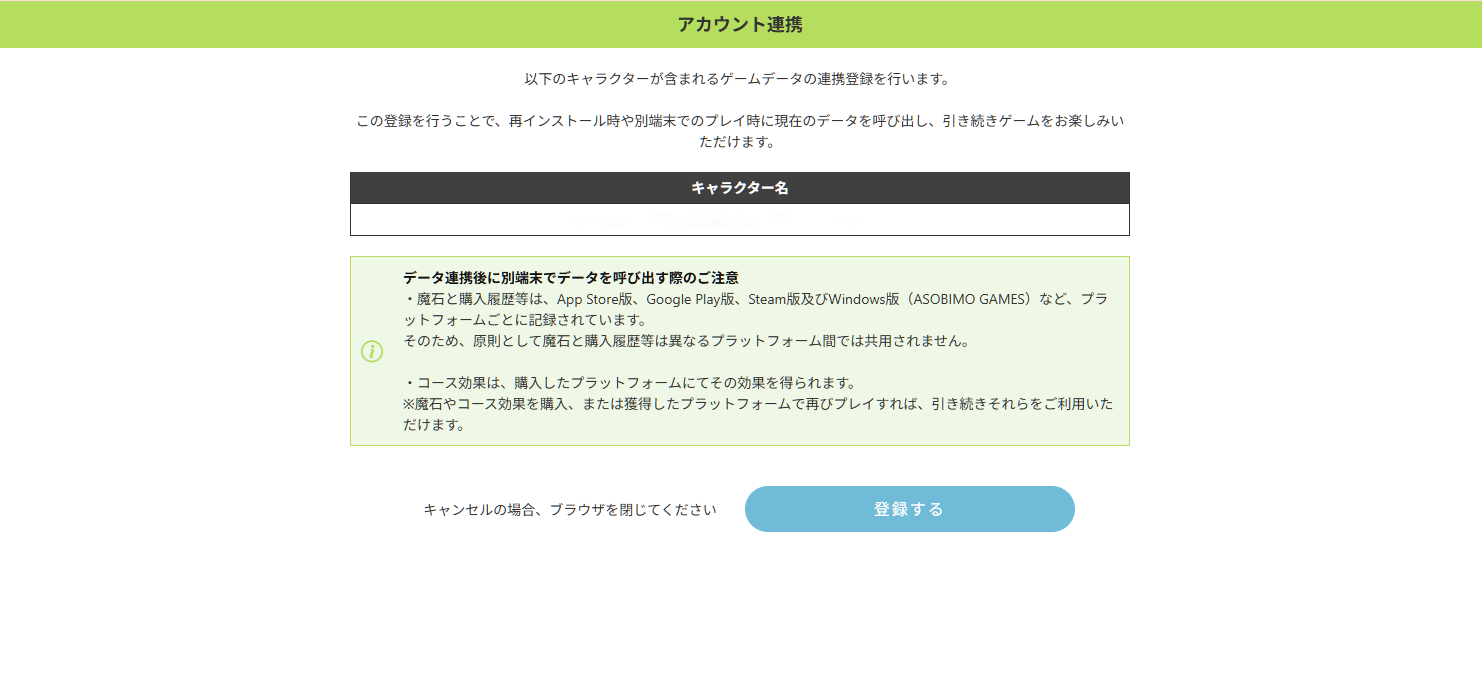
[Step 5] A confirmation screen will appear. Confirm the target character name and notes, then tap "Register" (登録する).
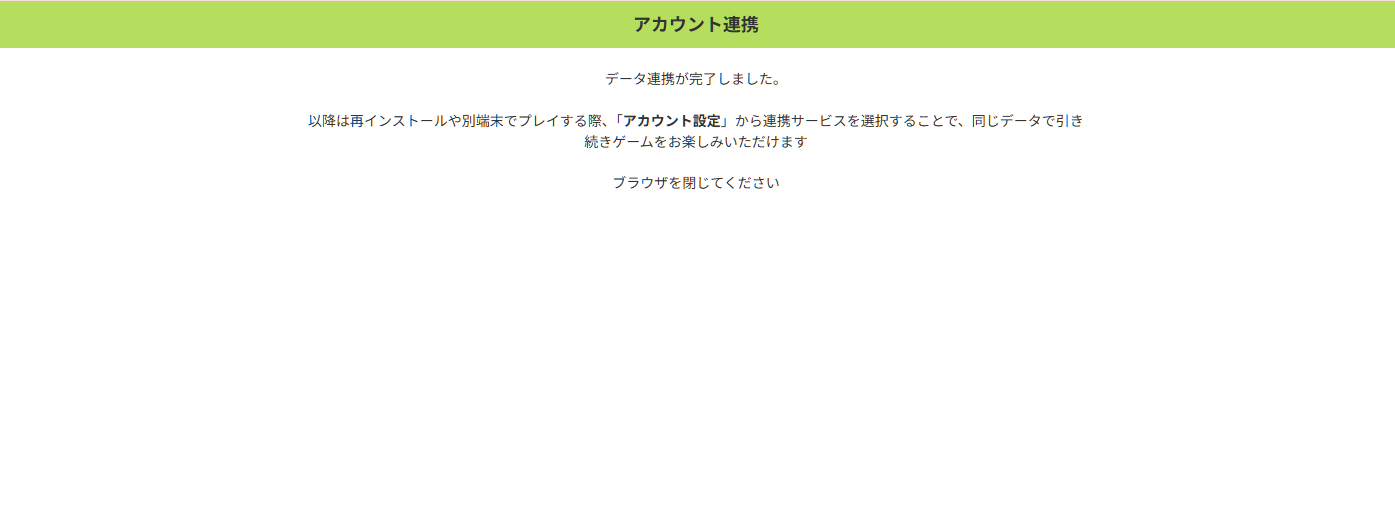
[Step 6] Once "Data Link Completed" (データ連携が完了しました。) is displayed, close the browser and return to the game. Setup is complete!
▼Important Notes Regarding External Account Linkage
■ Account Link Limits and Duplicate Registration
Only one game account can be linked per external account (Google Account / Apple ID email address).
You cannot register multiple game accounts to the same external account.
If you manage multiple game data, please prepare separate external accounts for each and link them accordingly.
■ For Users Currently Using "Asobimo Phone Number Authentication"
Users who currently use "Asobimo Phone Number Authentication" can switch to the new system by completing the external account linkage procedure above.
*Data transfer using Phone Number Authentication will be phased out in the future. We strongly recommend switching to an external account as soon as possible.
■ Handling of Magic Gems (魔石)
When sharing game data across different operating systems (e.g., between Android and iOS), Magic Gems purchased or obtained on one platform cannot be shared or used on a different OS.
(e.g., Magic Gems on Android cannot be displayed or used while logged in on an iOS device. They will be available again once you log back in from an Android device.)
【Regarding Magic Gem distribution from campaigns or compensations】
Magic Gems distributed by the operations team at specific dates/times (such as bonus campaigns or compensations) will be granted to the "first platform launched on the most recent active login date".
(Example 1)
Launched on Android at 17:00 on July 23
Launched on iOS at 22:00 on July 23
Campaign Magic Gems distributed at 17:00 on July 24
→ Granted to the first platform launched on the most recent login date (July 23): Android.
(Example 2)
Launched on Android at 17:00 on July 23
Launched on iOS at 12:00 on July 24
Campaign Magic Gems distributed at 17:00 on July 24
→ Granted to the first platform launched on the most recent login date (July 24): iOS.
■ Managing Game Data Across Multiple Devices
All game data is stored securely on the game server.
If you are logged into the same account across multiple devices, deleting (uninstalling) the app from one device will NOT delete the server data or the data on your other devices.
*When transferring or selling your device, please make sure to log out or initialize the device beforehand.
Thank you for your continued support of "AVABEL ONLINE".
AVABEL ONLINE Operations Team